
Lirensa
Make room for a good read.
Lirensa is available as an early beta for testing.
A place for your books, documents, and articles.
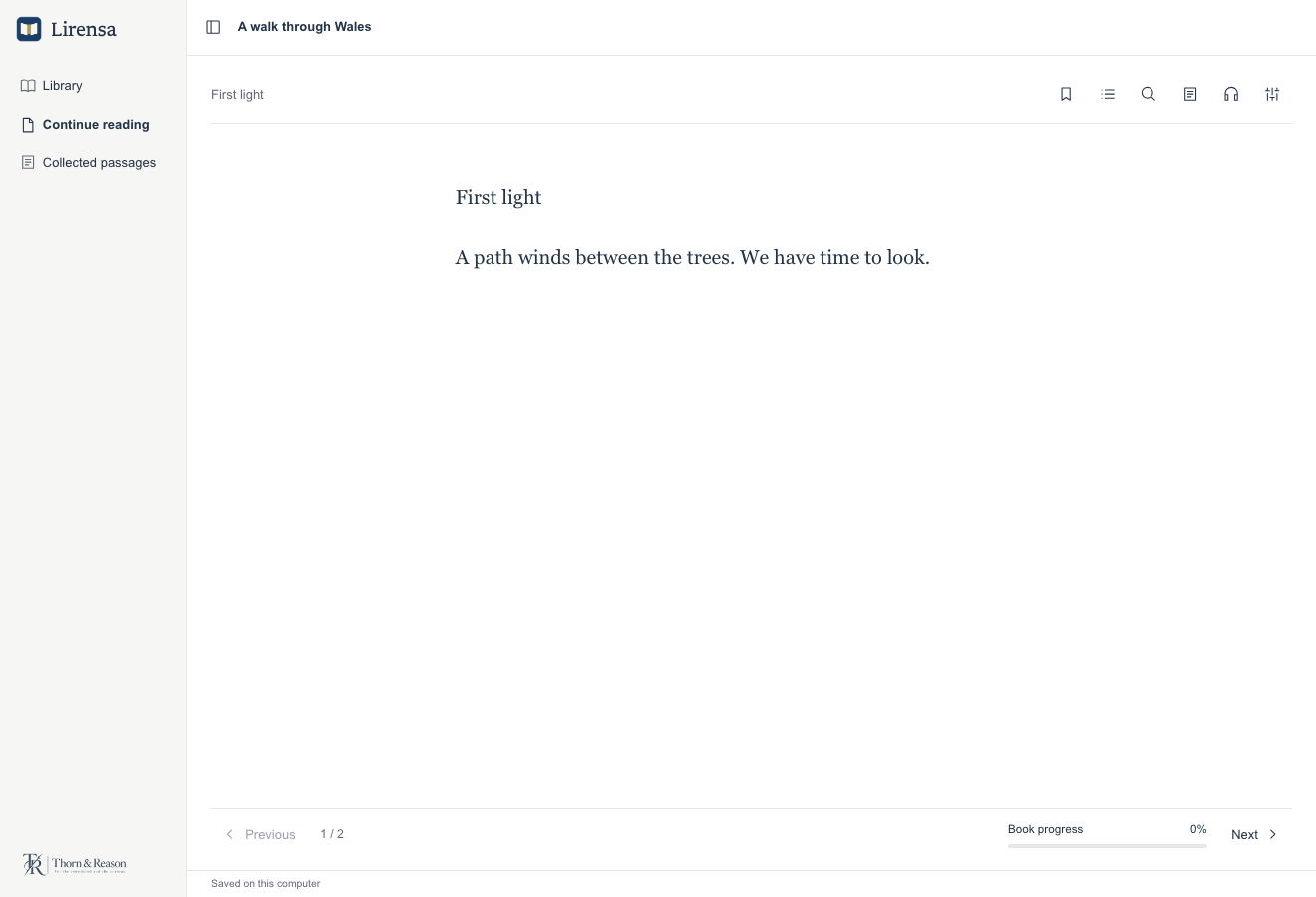
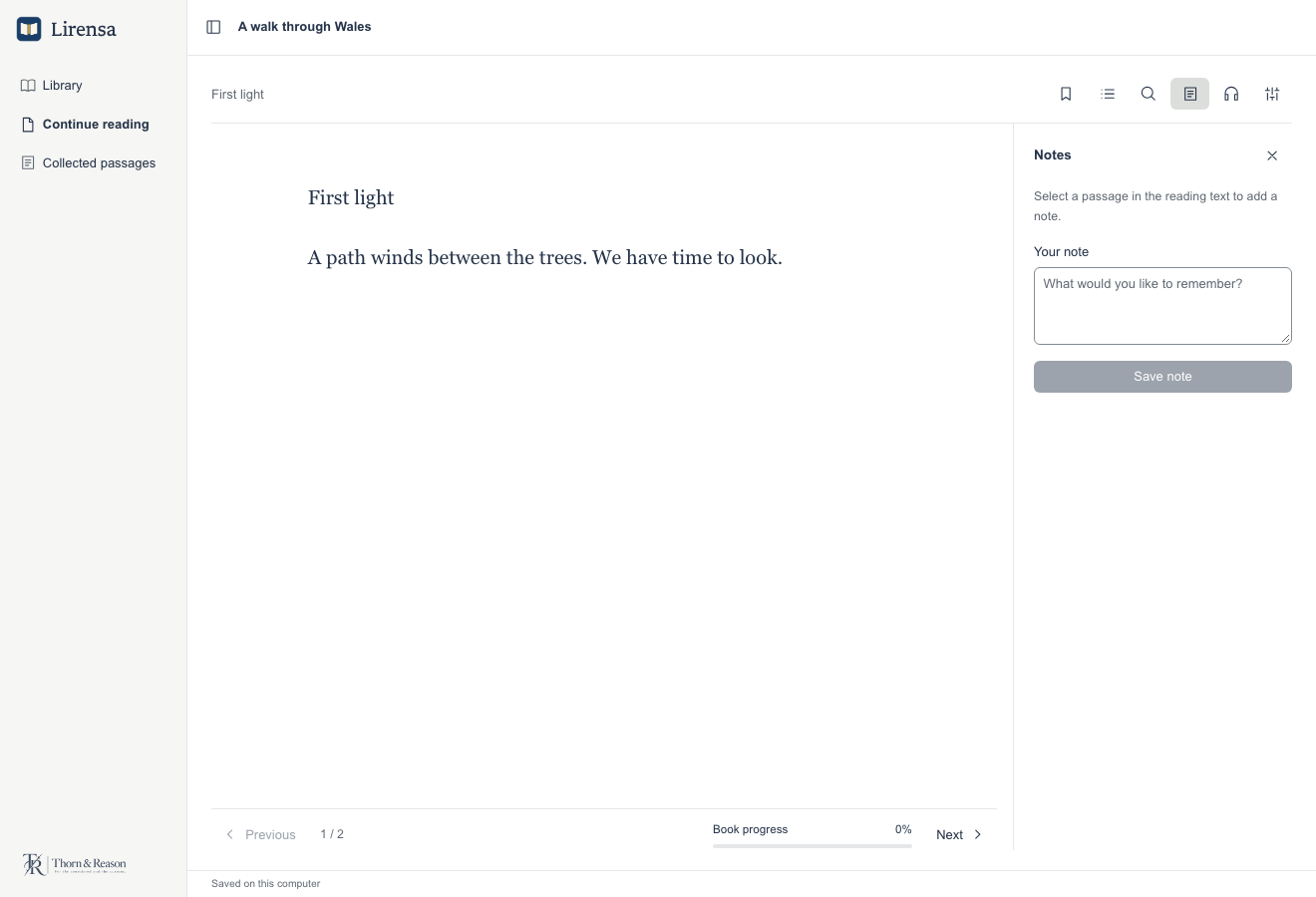
Lirensa brings a local library and a focused reader to the desktop. The text takes the main space, with contents, search, notes, listening, and appearance controls in an optional tool pane.
Build your library
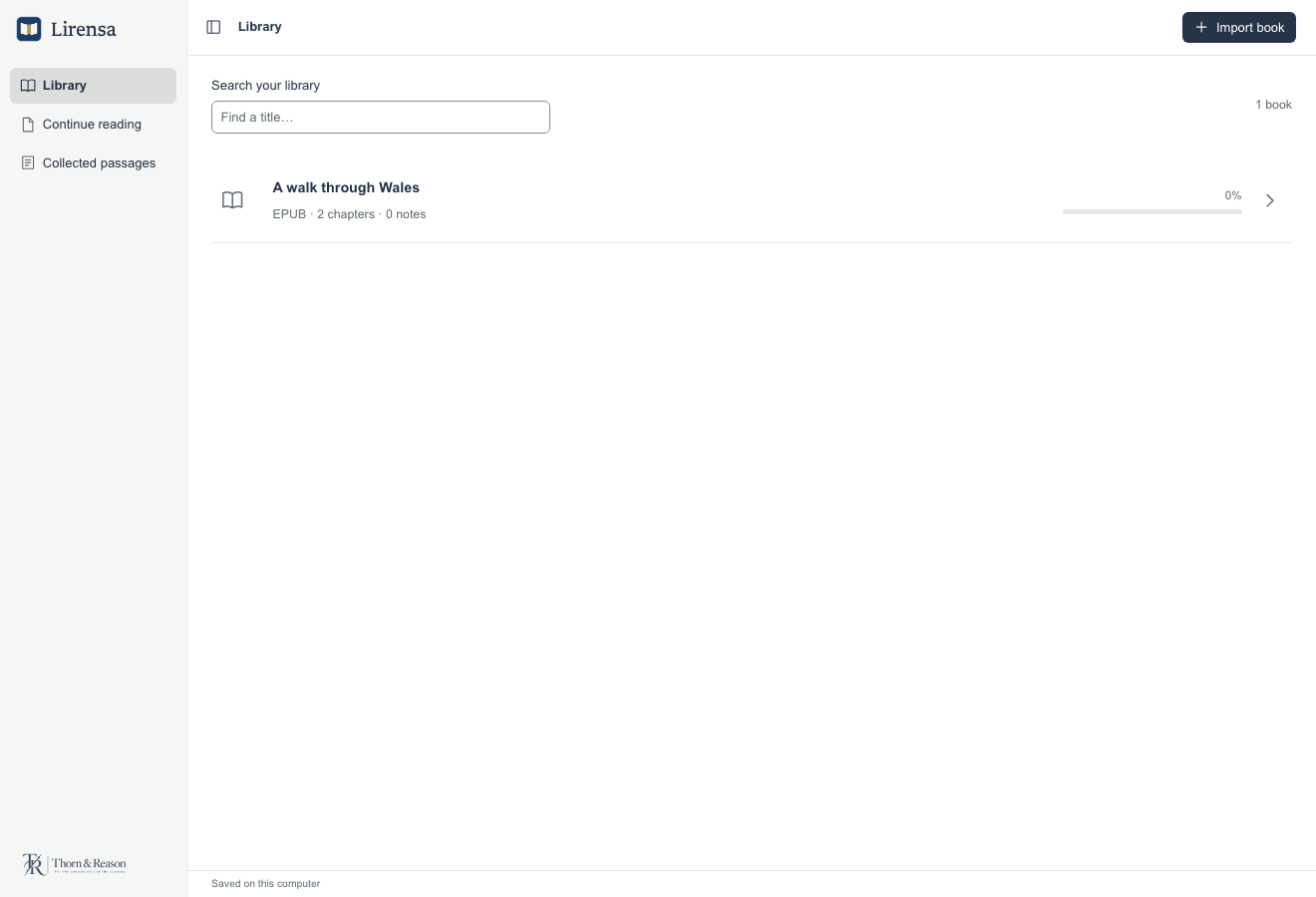
Import DRM-free reflowable EPUB books, PDFs, TXT, and Markdown files. Search your library by title and reopen a book or document where you left off.
Read at your own pace
Adjust the typeface, size, spacing, reading width, and appearance for text. View PDFs as source pages with selectable extracted text.
Keep a passage
Add bookmarks, select a passage to save with a note, and return to it later. Reading position, bookmarks, and notes stay in your local library.
Listen
Use local system voices where available, starting from a selected passage or the current chapter. Optional on-device voices require separate downloads.
Recognise scanned text
Run local OCR to add selectable text to scanned PDFs. macOS uses built-in recognition; Windows and Linux need Tesseract and the relevant language data installed separately. Check recognised text against the page.
Connect to Zotero
An optional locally installed Zotero companion can import selected attached PDFs and let you review metadata and reading-note sync, including conflicts, before applying changes.
Screenshots
Earlier development previews of the desktop interface, using illustrative sample reading. The current beta includes additional controls and features. Select an image to view it full size.
Availability
£39 · One-off purchase.
Paid packages: Mac Apple Silicon; Mac Intel; Windows x64; Windows ARM64; Linux x64.
Launcher requires macOS 13.3 or later on Mac. Mac packages are signed and Apple-notarised. Windows installers have no verified publisher signature and may show a warning or be blocked. The download signature verifies file integrity; it does not provide Windows publisher approval.
Native hardware and accessibility checks remain incomplete across these platforms.
Read the app terms, including refunds and privacy information.
Earlier free beta and compatibility
Lirensa 0.3.0-beta.3 is an earlier free beta. It remains available under its beta terms; a purchase is not required to keep using it.
Available packages: Mac Apple Silicon; Mac Intel; Windows x64; Windows ARM64; Linux x64. Read the release guidance for system requirements and installation steps. Native hardware and accessibility checks remain incomplete.
Earlier free beta and release notesThese earlier Mac packages are not Apple-notarised, and the Windows installers have no verified publisher signature. Your system may show a warning or block installation. Updater signatures do not replace Apple or Windows publisher approval.
Use the app’s “Check for updates” control to find available beta updates. Save your work and keep a separate backup before updating. Keep original files and check your results.
The compiled betas have private, proprietary source. Third-party licence rights remain unchanged.